Select 
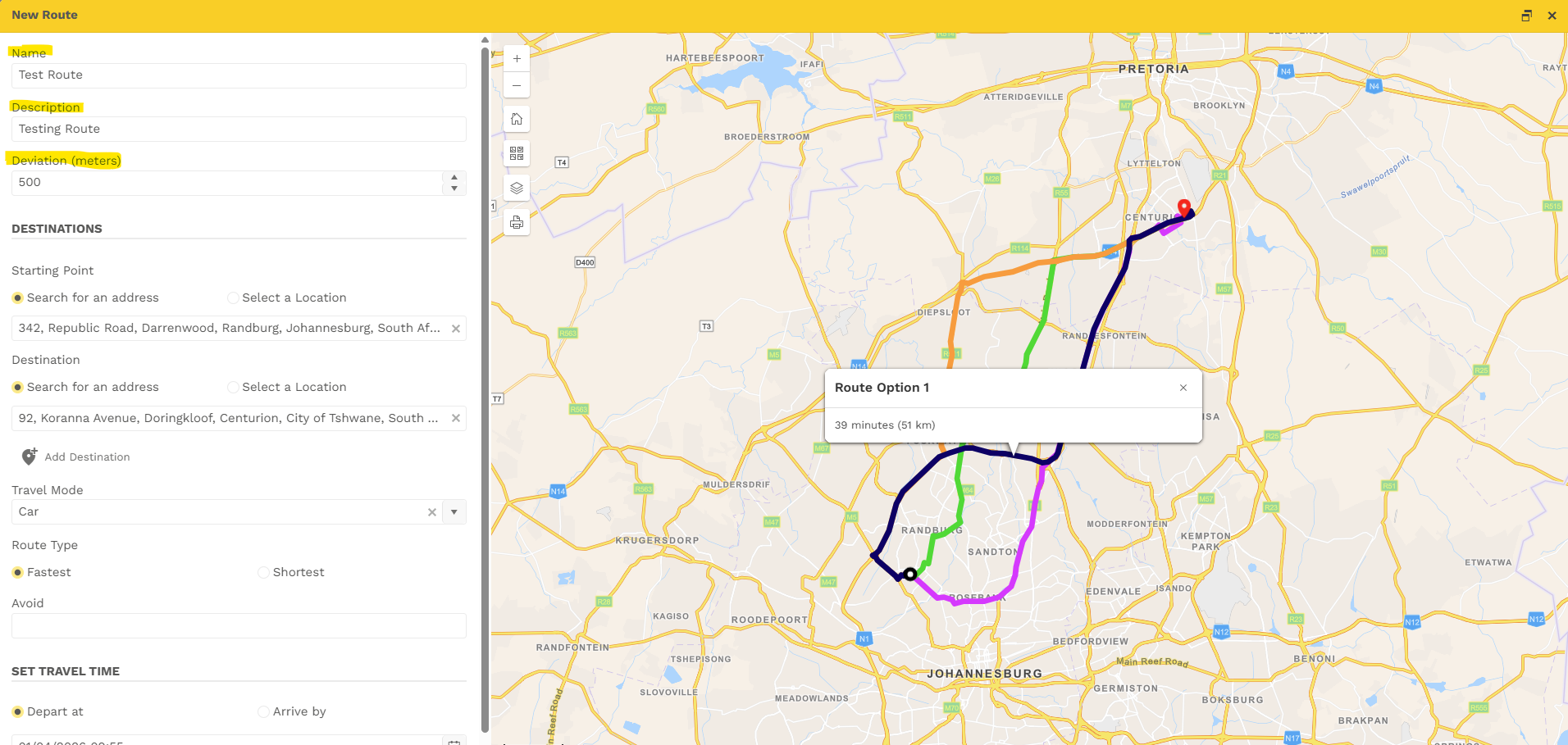
The below pop-up will open
- Name the Route being added
- Provide description of the Route
- Select the Deviation (Meters)
- Select Starting Point by address or location
- Select Destination by address or location
- Select you Travel mode (Car, Motorcycle, Bus or Truck)
- Select the Route Type (Fastest/Shortest)
- Add notes on what to avoid
- Select Travel Time (Departure & Arrival)
Once you are happy with the updates made select save.
Was this article helpful?
That’s Great!
Thank you for your feedback
Sorry! We couldn't be helpful
Thank you for your feedback
Feedback sent
We appreciate your effort and will try to fix the article