Services
- On this tab users can view what services are active per vehicle.
- Services allow the user to view services which they are subscribed to per vehicle
 Reflects if you have a particular service with Tracker
 Reflects you don’t have a particular service with Tracker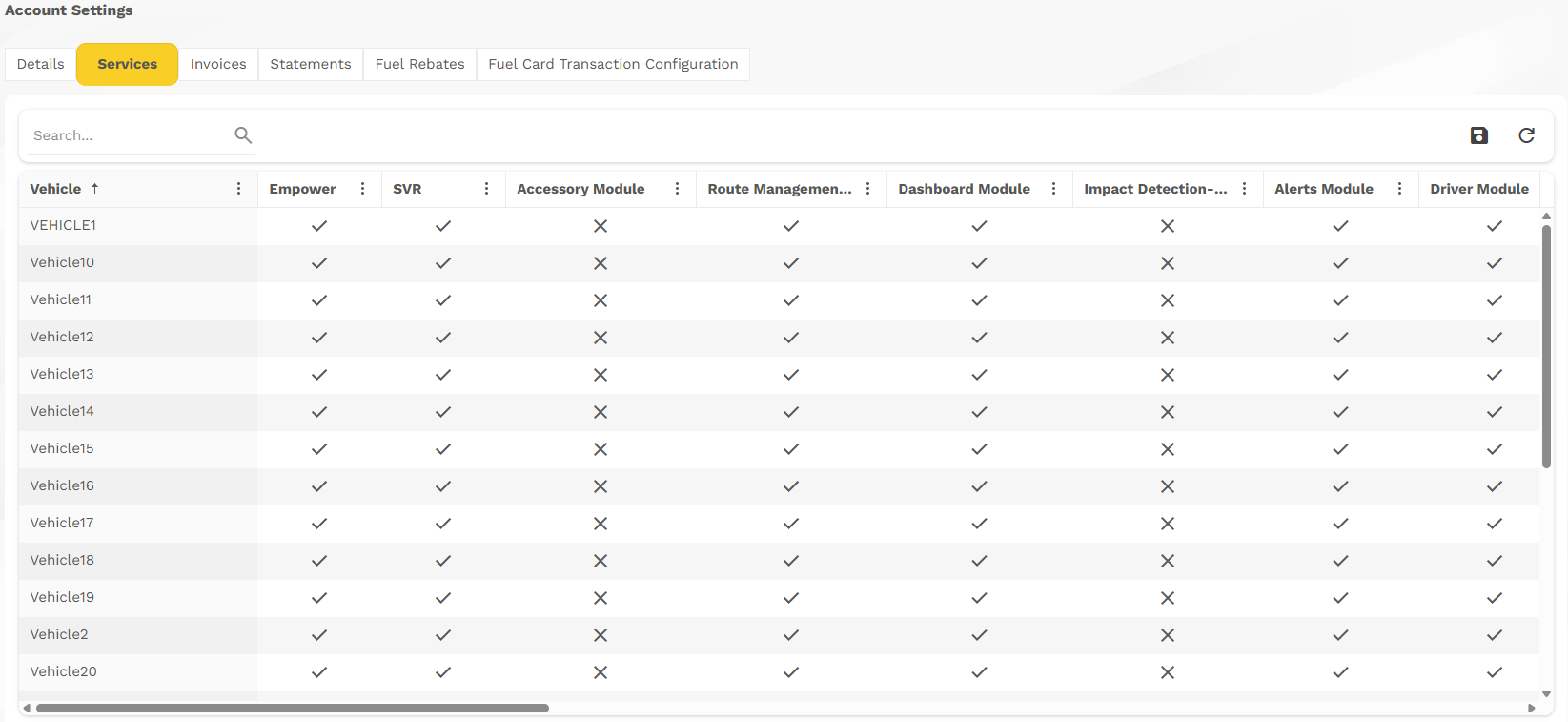
- Users can search for a vehicle or services, save the current view and refresh.

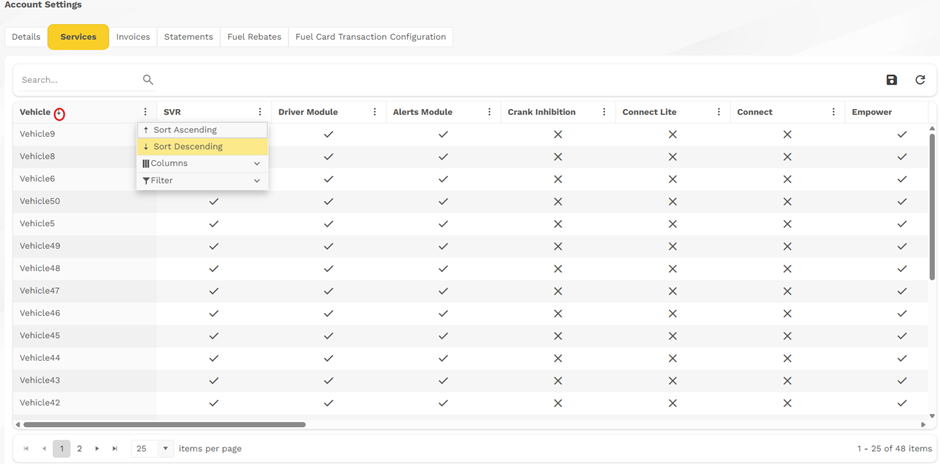
- User can filterer, Sort, or add / remove Columns by clicking on the Ellipsis (three vertical dots) on the right of the selection to access the dropdown menu.
- Users can sort by Ascending or Descending order per column by clicking on the respective Sort function.
- When a column is Sorted, an arrow will appear in the direction of the Sort next to the Heading of the column that is sorted.
Was this article helpful?
That’s Great!
Thank you for your feedback
Sorry! We couldn't be helpful
Thank you for your feedback
Feedback sent
We appreciate your effort and will try to fix the article