- Select the Profile Icon, the below will appear

- Navigate to Account Settings
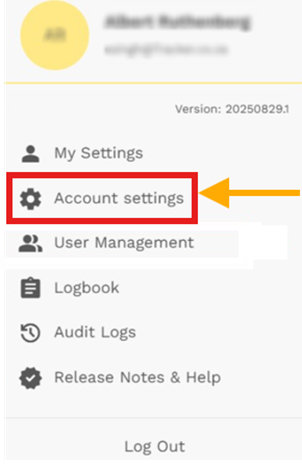 Click on the edit icon on the right to access details of users banking
(This will be validated and approved by the Tracker team online before changes can be implemented)
User can update:
- Account Holder
- Bank
- Branch Code
- Account Type
- Account Number
- Debit Order Day

Was this article helpful?
That’s Great!
Thank you for your feedback
Sorry! We couldn't be helpful
Thank you for your feedback
Feedback sent
We appreciate your effort and will try to fix the article