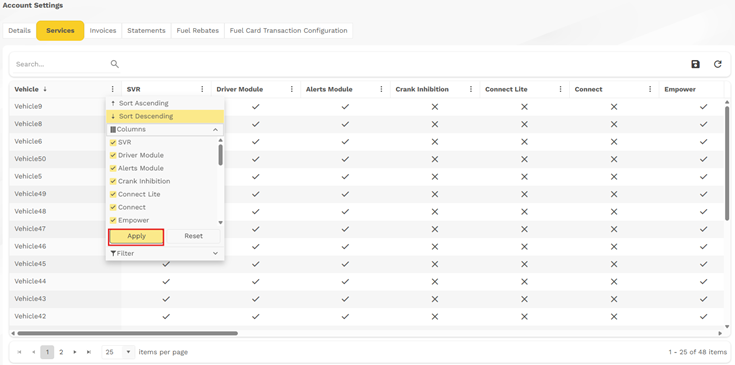
To Add or Remove or Column
- Select the column function in the drop down.
- This will open a list of Column that the user can select or deselect by clicking on the box to activate the tick.
- Once selection has been made, please confirm by clicking on the “Apply”
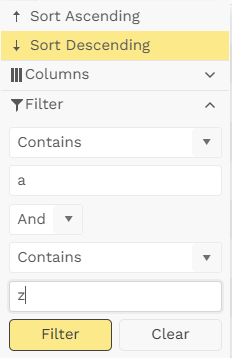
How To Filter
- The Vehicle Column allows users to apply sever constraints to make the filtering very easy and powerful.
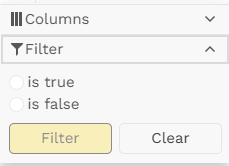
- All other column filters allowed user to choose between “is true” or “Is false” as the criteria
Users can also Save the view they have created by clicking the Save icon on the right

Was this article helpful?
That’s Great!
Thank you for your feedback
Sorry! We couldn't be helpful
Thank you for your feedback
Feedback sent
We appreciate your effort and will try to fix the article